Overview
In early 2020 I took an instructor-led course that encouraged us to use a variety of equipment and materials in the makerspace by completing a hands-on project. The project was to create a functioning clock that would tell time by lighting up phrases such as "It is now a quarter to seven." The instructor provided some SVG templates, CAD modules, and boilerplate code, but each student's clock was a different size, shape, and layout. I chose the largest picture frame (12 inches) and designed a circular layout that included additional information such as the day of the week.
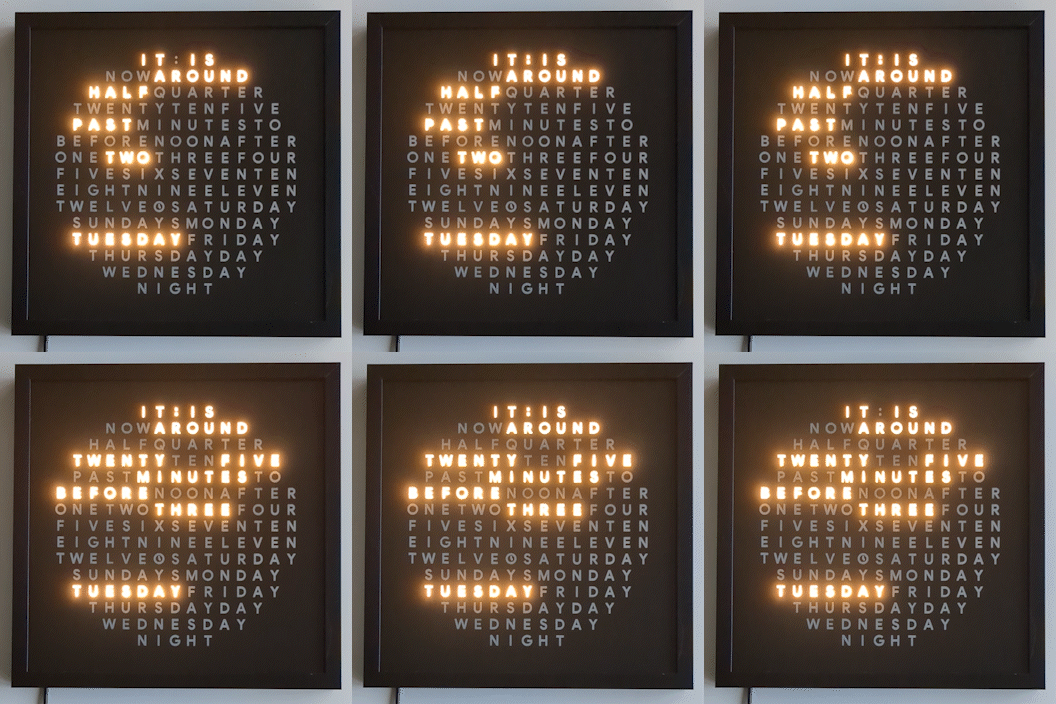
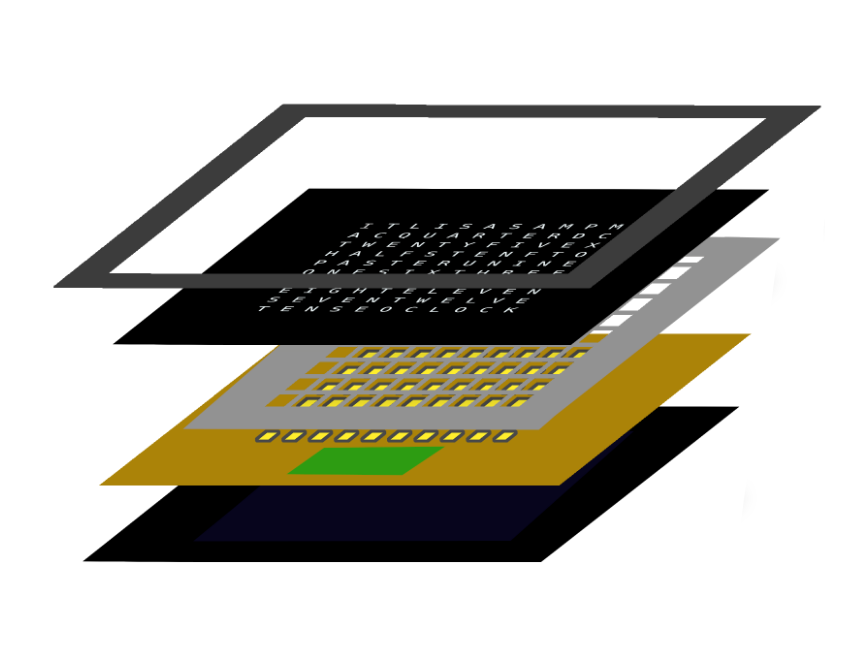
Each layer of the word clock used a different tool in the makerspace and presented unique design and execution challenges. The glass surface contained the letter grid, which we designed and etched using paint and a laser cutter. The light baffle, which ensured that each LED lit up only one letter, was 3d printed. The LED array required eight billion years of soldering. And all of it is custom-programmed in micropython using an ESP32 chip.
The hardest design challenge was arranging the letter grid. Commercial word clocks have spaces between words such as "half" and "past", maintaining readability even if the words appear consecutively in the grid. This letter grid did not contain any spaces, so words that lit up simultaneously could not be positioned consecutively. Since my grid was large enough to accommodate several alternative phrases, I got around this by using different phrases together. For example, though "past" and "after" can sometimes be interchangeable, "past" only appears after "half" or "a quarter," while "after" is only paired with "5/10/20/25 minutes." Similar logic applies to "to" and "before." Ultimately, even with the extra phrases and days of the week, there are still 4 dead grid cells that are never lit up.
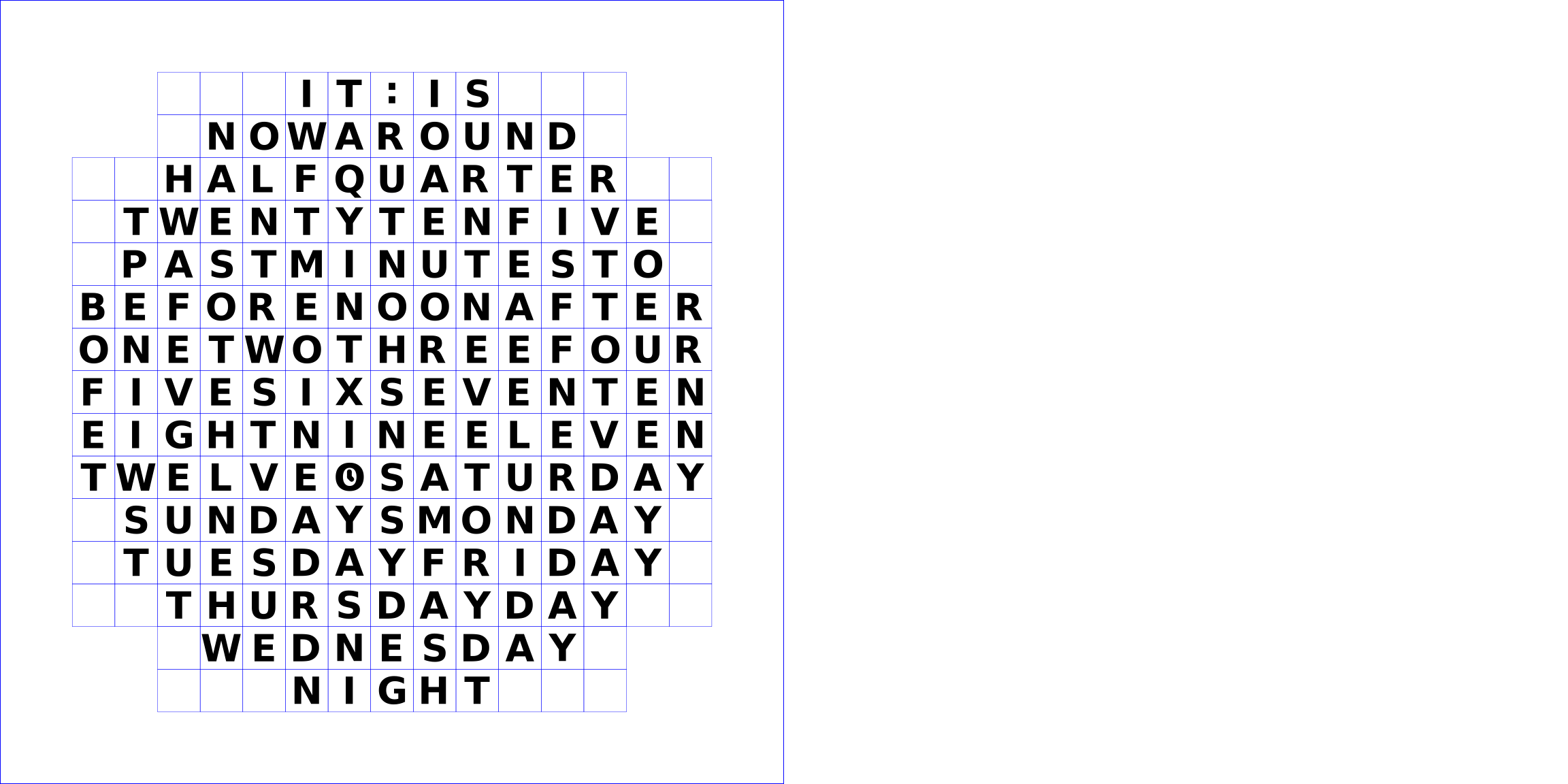
Other challenges included the size of the grid and the circular arrangement that I chose. The size meant that the light baffle would not fit as a single 3d print in the Prusa i3 MK3S printers, requiring changing the model and printing and assembling it in pieces. It also led to an unreasonable amount of wiring and soldering, and some wild guessing for the electrical components. Last but not least, the grid was circular but the LEDs were wired in a zigzagging linear pattern, requiring code that converted from (x,y) coordinates (where (0,0) is the 'S' in the center of the circular grid) to linear coordinates that indicated which LED to light up.
Design
- Inkscape
- OpenSCAD
Equipment
- Paint brush
- Laser cutter
- 3D printer
- Soldering iron
Materials
- Picture frame: thick frame, glass, foam spacer, backing
- Black paint
- PLA
- Chipboard, plywood
- Adhesives and fasteners: tape, glue, screws
- Wiring: insulated wires, solder, heatshrink tubing, capacitor
- Electonics: LED neopixels, ESP32 chip, level shifter, power source
Outsourcing
-
Resources provided by the course instructor:
- SVG template for clock lettering layout.
- CAD modules for light baffle model.
- SVG template for neopixel grid layout.
- Python boilerplate for ESP32 chip program.